Stars Shape Halftone Background 50-19: From Asset to Finished Design
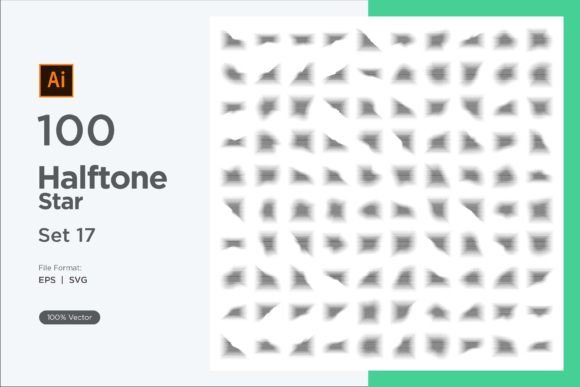
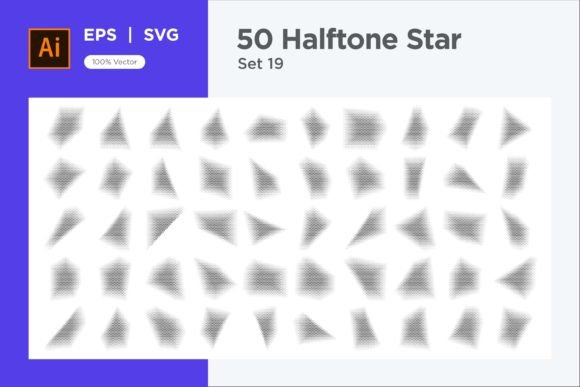
When a project demands a background that balances texture with structure, the Stars Shape Halftone Background 50-19 collection enters the conversation not as a decorative afterthought, but as a flexible foundation. It is a set of 100 vector files—split evenly between EPS and SVG formats—built around repeating star motifs treated with a halftone effect. Instead of flat silhouettes, each star carries internal dot patterns, gradients, or tonal steps that simulate depth and movement. For a designer, illustrator, or content creator, this means less time manually shading repetitive elements and more time spent on composition, messaging, or client communication. Understanding how to place this asset into an existing workflow turns a simple download into a repeatable, reliable part of your visual toolkit.
What the Collection Contains and Why Format Matters
Before integrating any resource, it helps to know exactly what you are receiving and how it behaves in real software. The Stars Shape Halftone Background 50-19 package delivers 50 EPS (Encapsulated PostScript) files and 50 SVG (Scalable Vector Graphics) files. Both are vector formats, which means they can be enlarged to any size—billboard, social graphic, or print piece—without losing sharpness. The EPS files are typically suited for older print workflows or direct placement into Adobe Illustrator and CorelDRAW, while SVGs shine in modern web and UI design tools, including Figma, Affinity Designer, and even code editors embedding inline graphics.
The star motif itself is repeated across these files, but subtle variations create a range of densities, tonal weights, and arrangements. Some backgrounds feel densely packed, like a night sky pushed into an abstract, comic-book texture. Others space the stars more loosely, giving a gentle, retro pop feel that works well behind typography. Because each file is fully editable, you are not stuck with the provided color palette or scale. Selecting a single star, adjusting its halftone dot size, or re-coloring the entire pattern takes minutes, letting the asset adapt rather than dictate the final look.
Identifying Where Stars Shape Halftone Background 50-19 Fits in Your Process
Resources become valuable when they align with a specific stage of a project. This background collection can serve multiple points in a creative or business workflow. During the planning phase, a quickly placed SVG mockup can communicate a mood—celestial, playful, or slightly retro—before custom illustrations are even drafted. A marketing manager presenting early ad concepts can pull one of these backgrounds into a slide deck or social mockup, giving stakeholders a tangible sense of atmosphere without committing to a final licensed photograph or illustration.
In the production stage, the asset functions as a time-saving structural layer. A freelance designer juggling multiple branding packages might use a halftone star background behind a hero section on a website, then repurpose the same file, re-colored, for a matching social media template. Because the source files are vector, scaling for a wide banner and then for a small event badge happens without loss, which maintains visual consistency and reduces the need for multiple physical file dimensions. After a project launches, the collection remains available for iterative updates—adjusting the halftone density for better contrast behind text, or swapping the dominant hue when a brand refreshes its palette. This kind of reusability turns a single purchase into a long-term component rather than a one-off throwaway.
Practical Implementation Tips for Designers and Non-Designers
A strong halftone background can either enhance readability or completely destroy it if not handled with care. When working with Stars Shape Halftone Background 50-19, the first practical step is to evaluate the relationship between the star density and any foreground elements. If you plan to overlay text, open the file in a vector editor and temporarily reduce the opacity or, better yet, create a subtle gradient mask that fades the halftone effect behind the central content area. Most modern design applications let you place a white-to-transparent gradient over the background, giving the text a clean resting place without removing the stars completely. This keeps the texture intact on the edges while preserving legibility where it matters.
Color swaps are another common operation. Many designers receive client brand guidelines with specific hex codes. In Adobe Illustrator, using the Recolor Artwork feature on an imported EPS or SVG can shift an entire star field from a cool midnight blue to a warm, posterized palette in seconds. If you work in a no-code tool like Canva, simply uploading an SVG gives you basic color overlay controls, though fine-tuning individual halftone dots won’t be possible—so factor that limitation into your tool choice early. For those integrating these backgrounds into CSS, SVGs can be inlined directly or referenced as background images, and then CSS filter properties like hue-rotate or brightness can alter the color on the fly without ever leaving the code editor.
Combining the Halftone Star Background with Other Design Elements
Rarely does a background exist in isolation. The halftone star pattern interacts with photography, iconography, typography, and structural layout grids. When pairing with photography, consider using a blend mode. Placing the star background on a layer above a photo and setting it to Overlay or Soft Light can fuse the texture into the imagery, creating an editorial look suitable for magazine spreads or album covers. If the photo is the focal point and the background needs to stay contained, a simple frame or clipping mask around the star pattern keeps it from leaking into the subject area.
For UI and web projects, the pattern can serve as a hero section background behind a tagline and call-to-action button. In such cases, the halftone dots introduce a rhythm that subtly guides the eye. To avoid visual noise, keep the foreground UI elements simple and give them plenty of padding. The star shapes, even in halftone form, naturally draw attention upward and outward—useful for layouts that want to suggest aspiration, exploration, or positivity. A/B testing with a version that uses a lighter halftone density versus a heavier one can offer concrete data on user engagement, especially for landing pages where every conversion counts.
Ensuring Quality and Consistency Across Multiple Outputs
A background asset that looks superb on a high-res monitor might fall apart when printed on textured paper or scaled down for a mobile screen. Quality control starts with previewing the output at actual size. Because the collection provides fully resizable vectors, you can run test prints on your office printer at 10% or 200% scale to see how the halftone dots render. If dots appear too small and create a muddy gray texture from a distance, increase the dot scale within the vector file. Many of the included star backgrounds likely use a carefully calibrated dot pattern, but customizing it ensures the output matches your project’s medium exactly.
Consistency across a campaign often depends on using the same base file with controlled modifications. When you make edits—re-coloring, scaling dots, changing the star distribution—save a new master version with a clear naming convention, such as "StarBackground-BrandX-Blue-Social.eps". This prevents chaos six months later when a colleague needs to update a banner and can’t determine which file version was used originally. For teams, storing the original unedited collection in a shared asset library alongside the adapted versions creates a transparent repository. Designers, marketers, and external agencies can then pull from a single source of truth, reducing the risk of mismatched visuals.
Long-Term Use and Adaptability Across Projects
Design trends change, but geometric and textured backgrounds tend to have a longer shelf life than heavily stylized illustrations. The halftone effect itself cycles through graphic design regularly—its roots in print reproduction give it an enduring, authentic feel. The Stars Shape Halftone Background 50-19 collection is therefore not tied to a fleeting micro-trend. A few years from now, you might take the same file, recolor it using a future brand palette, and apply it to a completely different medium, such as a motion graphic background where the stars gently animate in a parallax scroll. Since the files are vector, exporting individual star clusters as animated SVG sprites or importing them into After Effects for a looping shader effect keeps the original investment active.
This adaptability also extends to personal and small business projects. A hobbyist designing custom stickers for a craft fair can pull a single SVG, resize it to fit a die-cut shape, and output a sheet full of unique designs without ever touching a pixel-based brush. A podcaster creating episode artwork can start with a deep blue star halftone background, layer on bold white text, and produce a consistent template that carries the show’s identity across dozens of episodes. The ease of editing means the background never feels generic; small changes—a warmer hue, a tighter dot pattern—make each application feel intentional rather than copied.
Preparation and Organization Before You Begin
Spending a few minutes organizing the downloaded files pays off the first time you need to locate a specific variation under pressure. Unzip the package into a folder structure that mirrors your mental map: perhaps a root folder named "Stars_Halftone_Backgrounds" with subfolders for "EPS_Files" and "SVG_Files", or organized by density—"LightPatterns", "MediumPatterns", "HeavyPatterns". Previewing each file with a quick viewer or in your design software lets you tag or rename files based on visual traits. This small upfront effort eliminates the tiresome “open-every-file-until-I-find-it” routine and lets you focus on making design decisions rather than asset management.
For those who rely on cloud-based creative tools, batch-converting the SVGs into a format accessible on mobile devices or tablets covers the scenario where an idea strikes away from the primary workstation. Many modern design apps on iPad accept SVG import without issue, so you can sketch a layout on the go, drop in the halftone background, and have a working draft ready by the time you return to your desk. Remember that while EPS files are robust for professional print shops, they may not preview smoothly on all cloud storage platforms; keeping both formats ensures you always have a viewable option.
When to Buy, When to Build, and How Stars Shape Halftone Background 50-19 Supports Both
Deciding whether to generate a star halftone pattern from scratch or start from a premade set is a practical calculation of time, skill, and project requirements. Creating a vector halftone from a basic star shape involves duplicating, scaling, and applying transform effects or plug-ins—simple for an experienced user, but still a 30-minute task. Multiply that by 50 variations, and the time cost becomes significant. For tight deadlines or for designers who need to deliver multiple concepts rapidly, the ready-made collection provides immediate range. For someone learning halftone techniques, examining the included files offers a valuable learning resource: open them in Illustrator, inspect how the dot patterns are constructed, and reverse-engineer effects for your own custom work in the future.
Even if you plan to build entirely custom patterns later, having this collection in your library acts as a bridge asset. A startup founder with no design experience can quickly assemble a professional-looking pitch deck slide by pairing a star background with a simple headline. That immediate visual lift can make the difference in an early-stage presentation before a dedicated designer is brought on board. The asset thus sits at a meeting point between do-it-yourself pragmatism and professional execution.
Integrating with Modern Platforms and Collaboration Tools
Design workflows today span more applications than ever. Your halftone star background might start in Illustrator, move to Figma for a prototype, appear in a Notion doc for a brand asset inventory, and finally land in a developer’s code repository as an optimized SVG. Each handoff must preserve the integrity and editability of the original. When sharing files with developers, provide the SVG with a note about how the pattern was constructed—especially if you’ve used clipping masks or compound paths that might break if the file is minified or processed through a build tool. A quick test export from Figma using the “Copy as SVG” option can reveal whether the background survives the trip without distortion.
For marketing teams that rely on template-based tools like Canva for Enterprise, uploading the SVGs as brand assets allows all team members to apply them consistently without needing vector software. Set the uploaded file as a background in a branded template, and template locking prevents accidental movement or scaling errors. This kind of workflow integration ensures that the star halftone effect appears precisely the same whether designed by a senior graphic artist or a sales coordinator updating a weekly newsletter header.
Ultimately, the Stars Shape Halftone Background 50-19 is not a magic solution—it is a well-prepared material that plugs into punctual workflow needs. Its value scales with your ability to recognize when a textured, geometric, and easily customizable background solves a specific visual communication problem. Treating it as an editable component rather than a finished, unalterable image unlocks much of its potential. From early concept mockups and social media graphics to printed merchandise and long-term brand collateral, this collection can shorten repetitive tasks and provide a cohesive visual thread. The key lies in thoughtful placement, careful adjustment of halftone density and color, and consistent organization so that the right file is always within reach.