Establishing a Strong Identity with a Pelican Mascot Logo
Every design project that centres on character-driven branding needs assets that move from rough sketches to final output without technical friction. A Pelican Mascot Logo template that arrives as fully editable vector work changes how a team approaches visual identity, whether the work focuses on gaming, sports teams, apparel lines, or themed posters. The immediate value is not simply the illustration itself, but the flexibility built into the file structure: everything is resizable, everything is editable, and colour or text adjustments happen without starting over. When a designer, marketer, or small business owner understands how this asset fits into a broader creative workflow, the process accelerates while quality remains consistent across different applications.
What the Pelican Mascot Logo Template Actually Contains
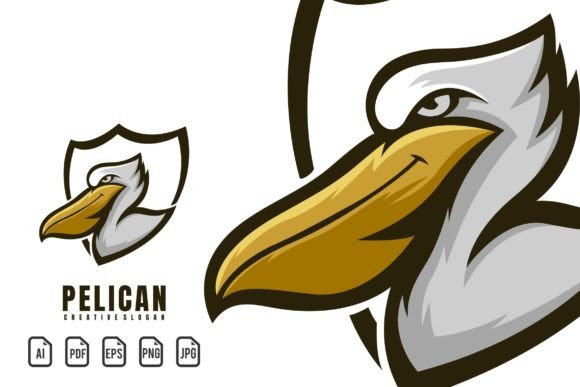
Before slotting the logo into a project timeline, it helps to know exactly what lands in your hand. The template is delivered as a 100% scalable vector files package, meaning the artwork uses mathematically defined lines and fills rather than pixels. This single attribute ensures that resizing for a mobile game icon, a stadium banner, or a chest embroidery on apparel never introduces blurriness. Included formats span AI, PDF, EPS, PNG, and JPG, each serving distinct stages of a production pipeline. The AI and EPS files become the editing master, while PNG offers a transparent background for immediate digital placement, and JPG fits quick presentations or web previews. The package also includes a help file with font information and a download link to the free font used in the sample, so any name or slogan can be rewritten while maintaining the original typographic feel.
Where a Pelican Mascot Logo Fits into a Broader Creative Process
Visual branding rarely happens in isolation. A Pelican Mascot Logo operates at the intersection of concept development, asset production, and final media output. In the early planning stage, the template helps stakeholders visualize a mascot-driven identity before committing to a custom illustration. The pre-built pelican character—fierce enough for sports, clean enough for e-sports, and expressive enough for a poster—serves as a conversation starter. It shapes discussions about tone, colour psychology, and target audience without requiring days of sketching. During mid-project execution, the editable vector file becomes a working document that moves between team members, each handling a specific layer: a product designer tweaks colour to match a jersey palette, a UI designer isolates the head for an app icon, a social media manager crops a detail for a profile picture. After launch, the same file supports merchandise development, event signage, and partnership graphics because the high resolution and transparent background options never degrade.
Practical Use Cases across Gaming, Sports, and Apparel
The versatility of a pelican character may surprise people who assume a mascot is only a sports symbol. In gaming, a Pelican Mascot Logo can become a playable game character’s icon, an achievement badge, or an e-sports team crest. The vector structure allows animators to separate limbs for character rigging if the project expands into motion graphics. For sports teams, the template fits jerseys, helmets, in-arena displays, and promotional materials, all requiring consistent colour and crisp linework at drastically different sizes. Apparel brands use the logo for screen printing, embroidery digitizing, and hang tags, where the ability to recolor the artwork to match seasonal collections saves redesign costs. Themed posters benefit from the pelican’s illustrative quality, and because the entire file remains editable, artists can integrate typography, event details, or sponsor logos without compromising the central graphic.
Integrating the Template with Your Existing Tools and Resources
A practical workflow relies on compatibility, and the file formats supplied cover the most common professional software. Adobe Illustrator remains the native environment for full editing of AI and EPS files, but other vector applications like Affinity Designer, CorelDRAW, or even free programs such as Inkscape can open EPS versions and preserve editability. For teams that rely on raster editing, opening a high-resolution PNG in Photoshop or GIMP allows for mock-ups, photo compositing, and quick social media exports. When a project requires collaboration with external printers or promotional product vendors, the PDF format serves as a universal proof that keeps vector data intact, so the vendor can scale the pelican for embroidery machines, large-format printers, or laser engraving without requesting a redesign. This interoperability means a Pelican Mascot Logo does not demand a software switch; it simply drops into the existing stack.
Customization Workflow: Colour, Text, and Composition
The real efficiency gain appears once the file is open. Because the artwork is structured in clearly named layers or groups, isolating the beak, feathers, eyes, or background elements takes seconds. Colour edits happen through global swatch changes or direct selection, so testing a slate-and-orange scheme for a gritty gaming identity versus a coastal blue palette for a family sports camp becomes a rapid, side-by-side exercise. The text layer uses a free font downloadable from the link provided in the help file; after installing it, changing the team name, tagline, or event title is simply a matter of typing. This structure eliminates the need to rebuild typography outlines or guess font matching. For a consistent look, work inside a colour-managed document and export with sRGB profiles for digital use or CMYK for print, keeping colours predictable from screen to substrate.
Maintaining Quality Control and Visual Consistency
One of the hidden costs of mascot branding is mismatched files across departments. A social media post that uses a compressed JPG from a web grab may look washed out compared to the embroidered version on a hat. Starting from the same editable vector template for every output creates a single source of truth. Design leads can establish a master file with approved colour swatches, stroke weights, and spacing, then distribute locked components to junior designers or external partners. The Pelican Mascot Logo’s full editability also supports accessibility checks: adjust contrast ratios, enlarge the mark for readability, or simplify detail for small-scale reproductions without losing brand recognition. When vendors request specific file types, the master file’s export capabilities produce fresh renditions instead of repeatedly upscaling or downscaling a legacy graphic.
Organizing and Archiving Editable Assets for Long-Term Use
A vector mascot template holds value far beyond the launch campaign. Proper file organization ensures that six months later, when a new sponsorship deal requires a co-branded banner or a charity event needs a modified version, the original layered file is still readable and ready. Save the original AI or EPS as a read-only master, then work from copies. Name project folders by date, campaign, or application—something like “2025_HouseLeague_Jerseys” or “MobileGame_SplashScreens”—so retrieval is fast. Since the pelican artwork is fully outlined except for the live text layer, fonts never become a bottleneck; the help file’s font link remains a reference point. Embed or package the free font in a shared drive for team members who might have missed the initial download. This simple archival habit turns the Pelican Mascot Logo into a durable asset that adapts as brand needs evolve.
Scaling the Pelican Mascot Logo across Multiple Platforms
The same pelican image can function as an app icon, a stream overlay, a billboard graphic, and a printed sticker sheet. The key to seamless scalability lies in understanding the vector file’s resolution independence. For digital platforms, export with appropriate dimensions and compression settings; a 180-pixel square for a social avatar needs different anti-aliasing than a 2400-pixel hero image for a website. The PNG version with transparency blends into varied backgrounds, while the JPG format, when flattened with a solid background, reduces file size for email signatures or presentation slides. For physical applications like apparel, separate the logo into color layers for screen printers who need spot color separations, or provide a high-contrast version for embroidery digitizers who convert shades to stitch directions. The Pelican Mascot Logo’s vector structure makes these versioning tasks straightforward because you are not cleaning up artifacting from previous raster edits.
Collaborating Effectively with the Pelican Mascot Template
When a project involves multiple stakeholders—coaches, marketing leads, product managers, sponsors—the editable nature of the template streamlines feedback cycles. Instead of sending marked-up screenshots and hoping the designer interprets them correctly, a stakeholder can suggest a colour change that gets implemented live during a review call. Because font changes are instant after downloading the free typeface, naming decisions can be tested visually on the spot. This interactive approach reduces the back-and-forth that often delays approvals. Document version control through clear file naming or cloud storage history ensures no one works from an outdated copy. For external review, export a watermarked PNG or a low-resolution PDF to maintain trust while gathering input.
Preparing the Pelican Mascot Logo for Different Media Outputs
A successful implementation recognizes that a gaming logo on a dark UI background might need a different contrast treatment than the same logo printed on a light cotton tee. The editable template lets you create variants without redesigning the entire mascot. For dark backgrounds, add a subtle outer glow or tweak the stroke weight of the outline to increase visibility. For apparel, test how thin lines hold up at small embroidery sizes and thicken them if necessary, all within the source file. For poster designs that incorporate the pelican, the character can be resized and repositioned without distortion, allowing the title typography or event details to dominate while the mascot anchors the composition. This media-specific preparation becomes part of the pre-production checklist, saving time and preventing costly reprints or re-uploads.
Implementation Tips That Improve Daily Design Workflows
Beyond the core editing tasks, a few habits ensure the Pelican Mascot Logo remains a frictionless part of your toolkit. Always duplicate the background layer and any critical grouped objects before making sweeping changes; non-destructive editing keeps the original artwork intact for unexpected reversions. When exporting for web use, apply sharpening judiciously to maintain the clean geometric character of a vector mascot. Keep the free font installation file alongside the logo archive so new team members or contractors can hit the ground running. If you plan to use the pelican in video content, export the vector file into a motion graphics program as an SVG or use the AI file directly, maintaining the ability to animate individual parts like wings or eyes. Recognizing that every vector element—from the curve of the beak to the talons—can be independently adjusted opens creative opportunities that a flattened image could never support.
Integrating a Pelican Mascot Logo into ongoing work is less about a single design event and more about adopting a flexible, master-asset approach. The combination of 100% vector scalability, multiple provided file formats, straightforward text and colour editing, and the included font resource shifts the focus away from technical constraints and toward effective visual communication. When the template adapts to your workflow rather than forcing you into a rigid system, the result is faster turnaround, lower production costs, and a consistent brand presence that works across gaming, sports, apparel, and promotional design equally well.